
Kosmas Web alpha
Play.Record.Remember.
Kosmas is a chronicle for roleplayers: it turns your gameplay recordings into characters, factions, places and events you can find again, private until you decide to share them.
What it looks like
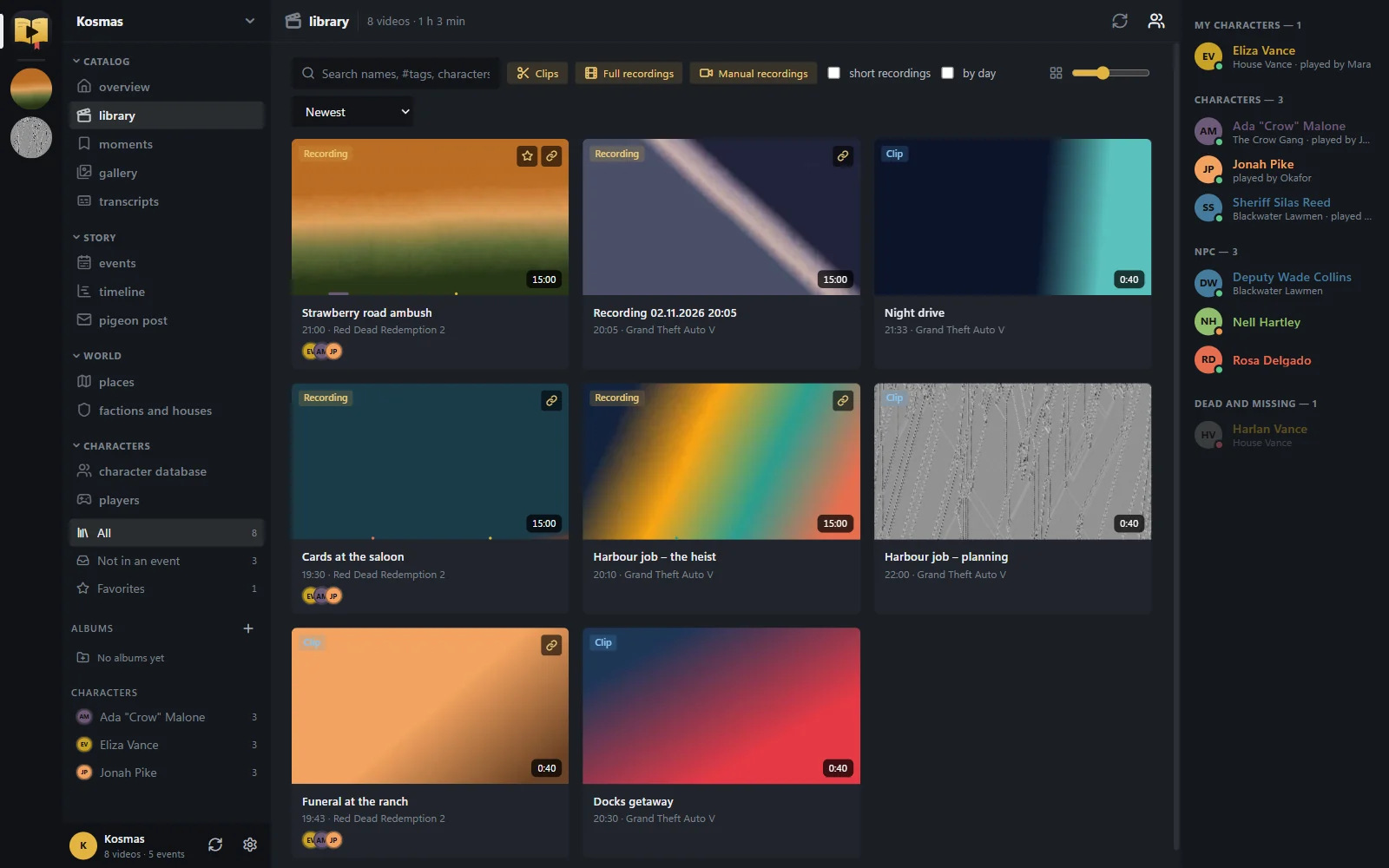
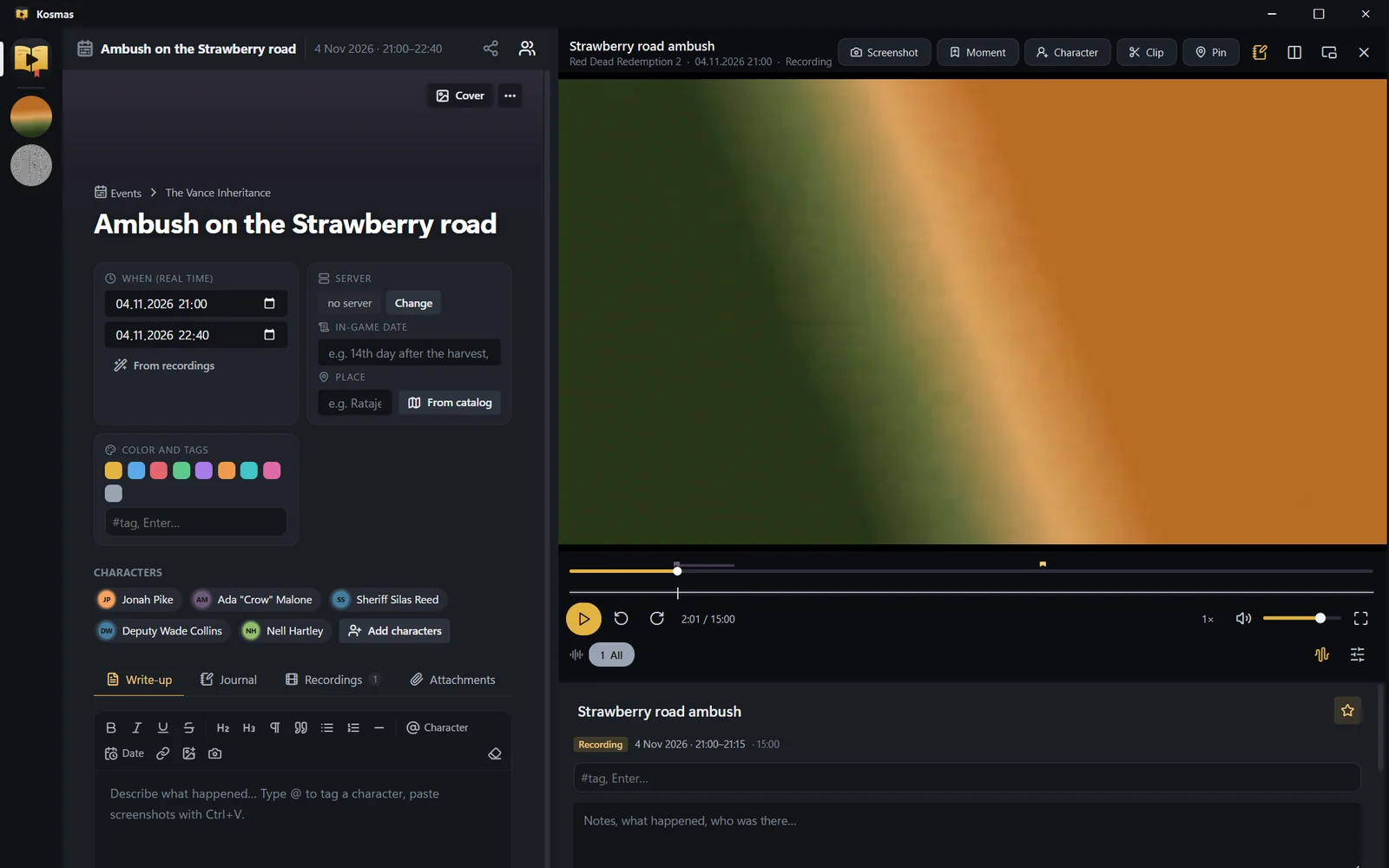
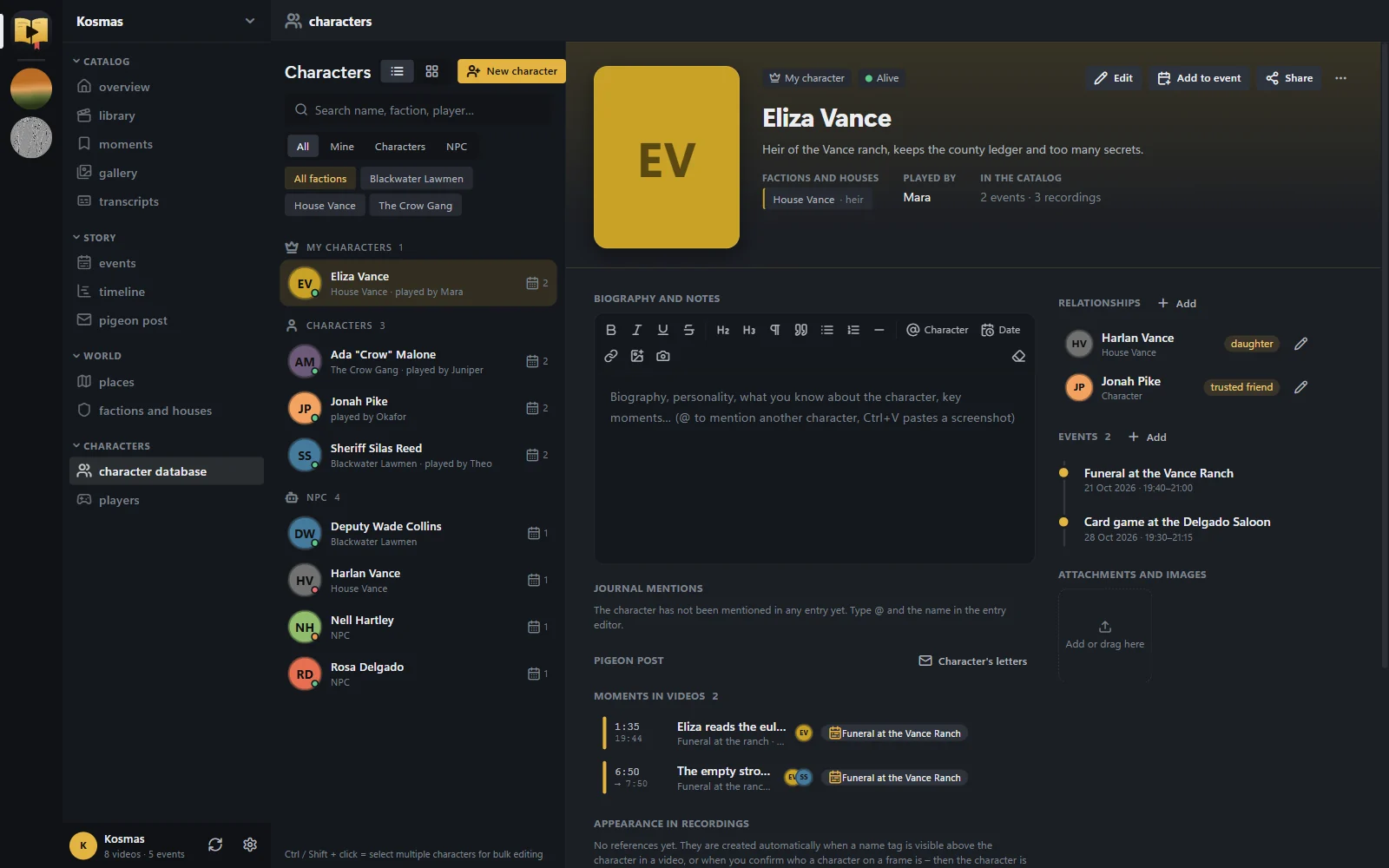
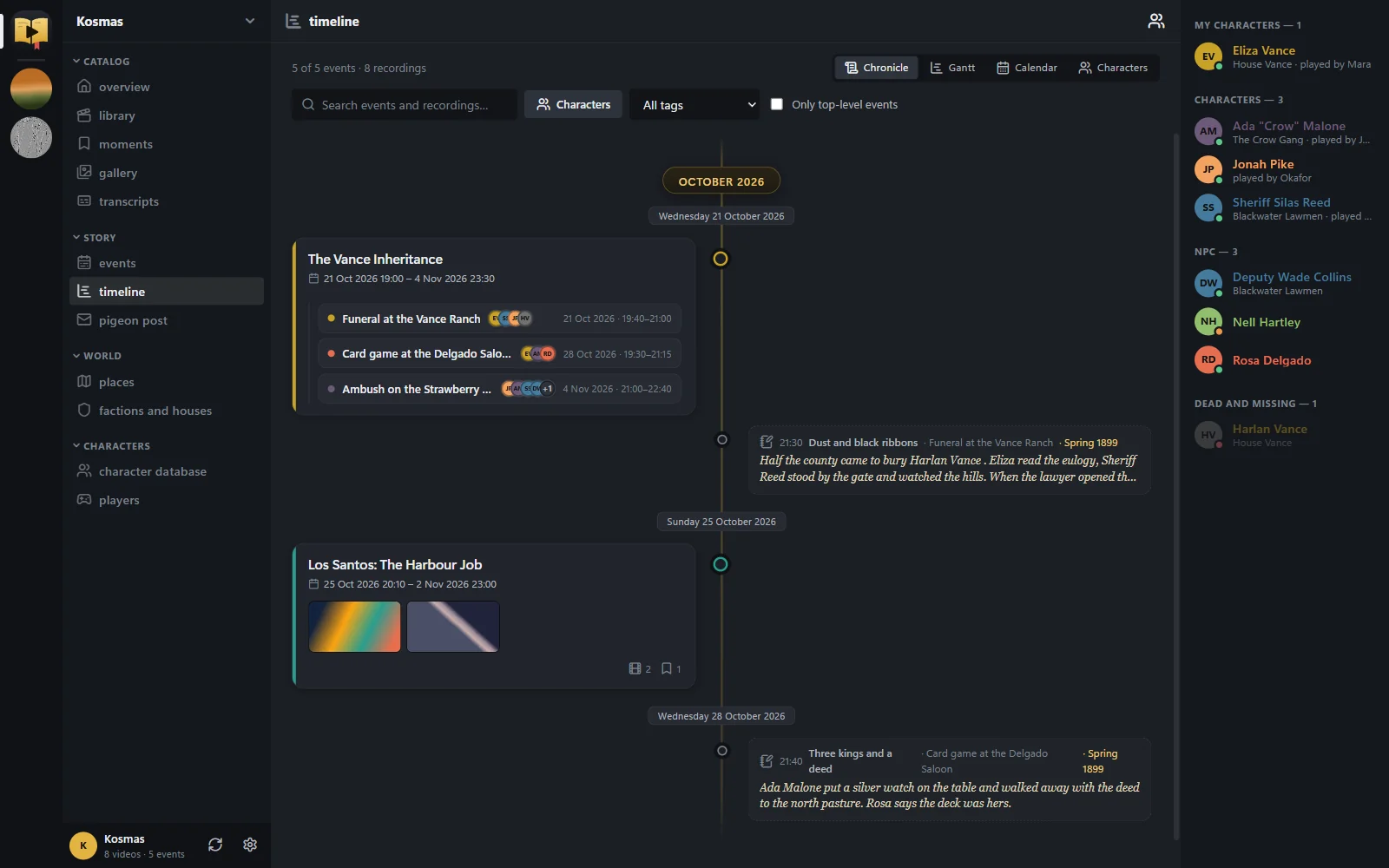
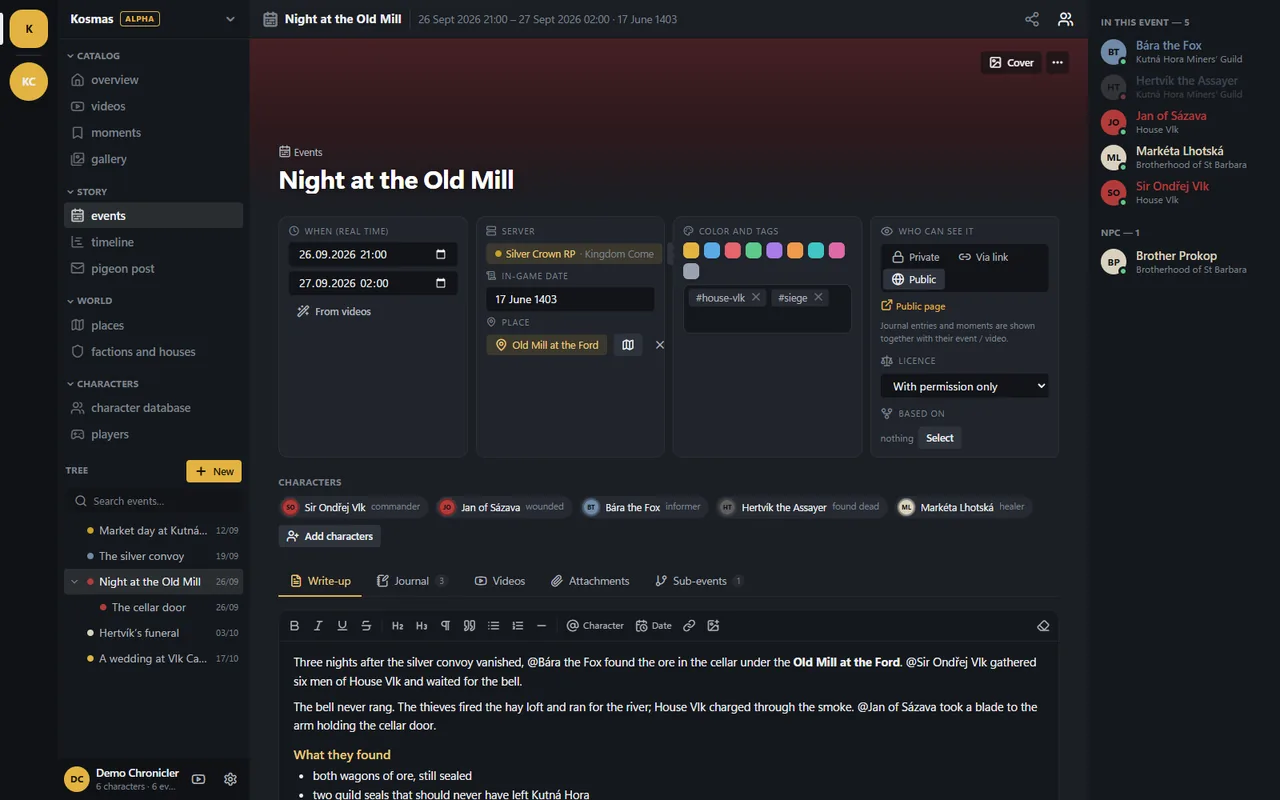
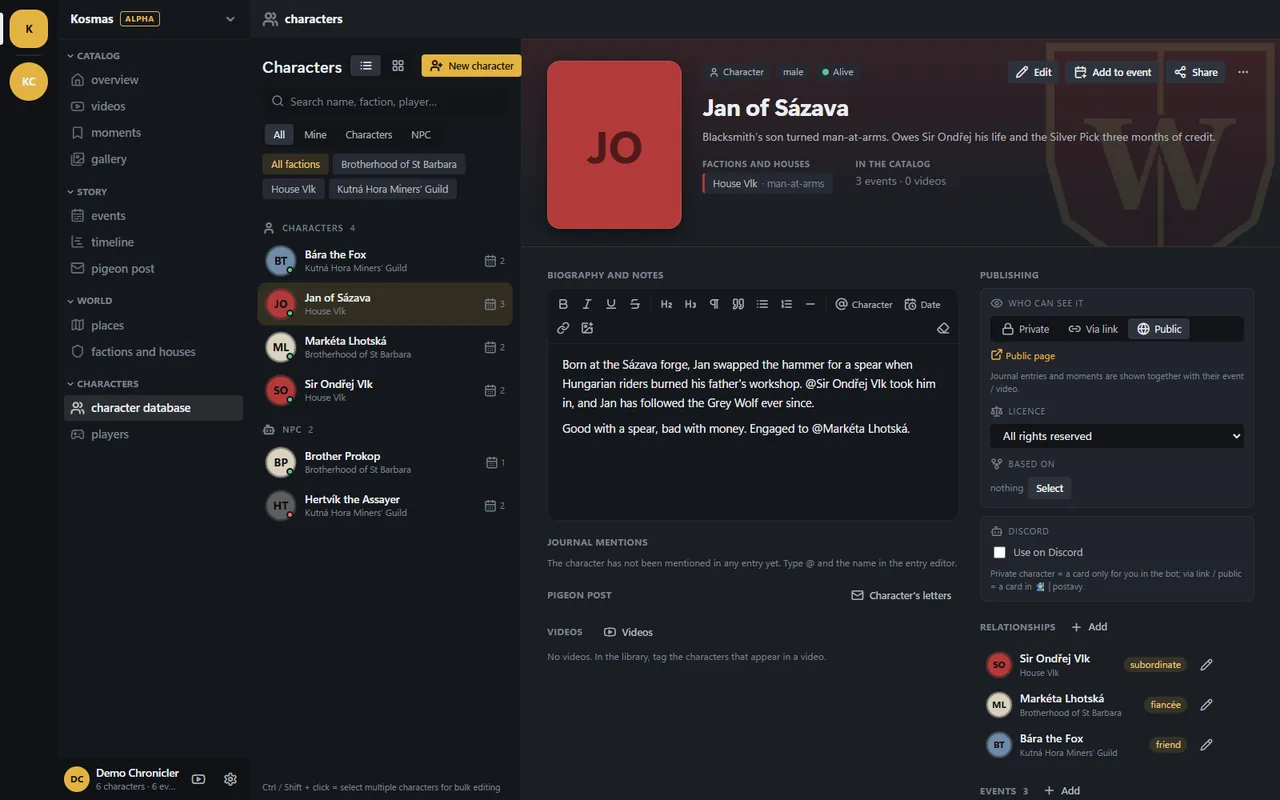
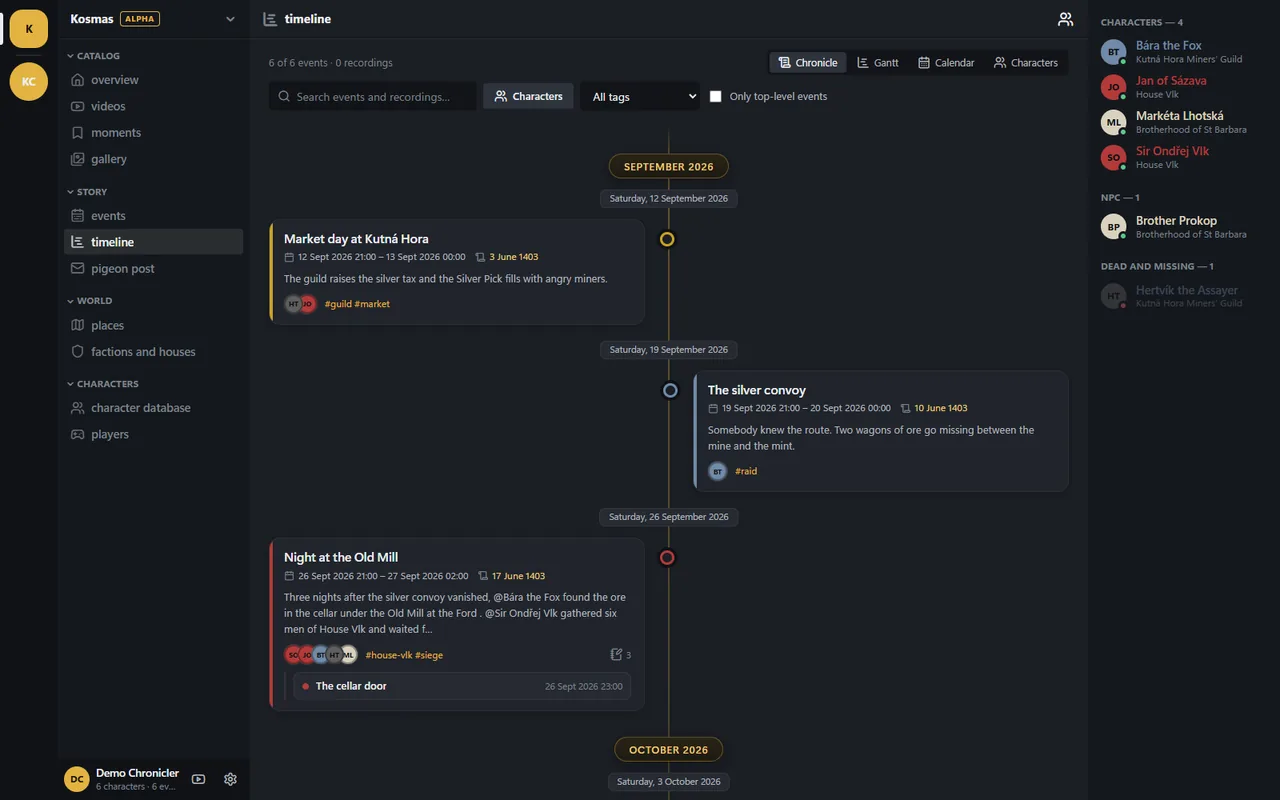
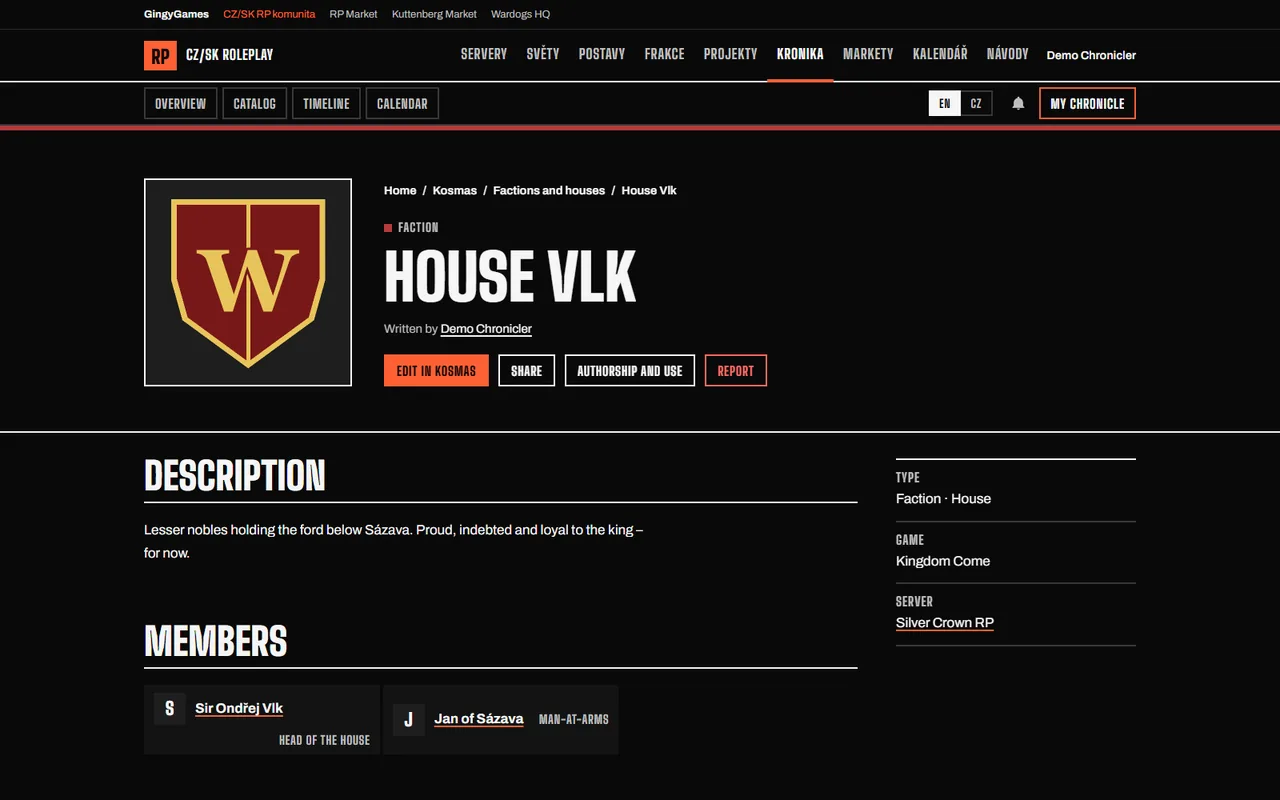
Screenshots from the desktop app and the web workspace with a sample chronicle.
Desktop app
Web workspace
Desktop or web
One chronicle, two ways in. The desktop app does the heavy work on your PC; the web version needs no install. They sync when you sign in.
| Feature | Desktop app | Web Alpha |
|---|---|---|
| Install | Installer for Windows 10 and 11 | ✓ Nothing to install, runs in the browser |
| Recordings library | ✓ Finds Medal folders on its own, OBS and ShadowPlay folders too | ✓ Local folders in Chrome and Edge, nothing is uploaded |
| Medal details | ✓ Clip titles, games and hotkey bookmarks | — dates from file names only |
| Player with moments and bookmarks | ✓ Every format | ✓ YouTube and local MP4/WebM |
| Multi-track audio | ✓ Game, Discord and microphone at once | — one track |
| Clips | ✓ Export a segment to MP4 | — segments only, no export |
| AI transcripts and image descriptions | ✓ On your PC for free, or a paid service | — |
| AI chronicler | ✓ Suggests events, places and characters from a transcript | — |
| Characters, factions, places, events, letters | ✓ | ✓ |
| Timeline and calendar | ✓ | ✓ |
| Share links and the public chronicle | ✓ Publishes through sync | ✓ |
| Sign in with Discord | ✓ Through your browser | ✓ |
| Works offline | ✓ | — |
The web version is an early alpha and doesn’t have all desktop features yet. Missing on the web:
- several audio tracks at once (game, Discord, microphone) – the web plays one track
- exporting clips to MP4
- AI transcripts and search in what was said
- AI image descriptions and reading name tags
- the AI chronicler (event, place and character suggestions from a transcript)
- Medal library details: clip titles, games and hotkey bookmarks
- playing every video format (the browser plays MP4/H.264 and WebM)
- working offline
Public chronicle and lore registry
Everything is private until you publish it. What you publish carries your name and your terms.
Authorship
Each record shows its author and the date it was first published, as proof of who came up with it.
Licences
All rights reserved, use with permission, CC BY, CC BY-NC or CC0. You choose per record.
Permission requests
“I want to use this” notifies the author, and a log shows on which servers the lore was used.
Wiki and moderation
Revision history with rollback, edit suggestions, discussion, and reports that go to the moderators.
Kosmas on Discord
The community RP bot reads your characters straight from Kosmas, so there is one sheet to keep up to date.
Use on Discord
Switch it on for a character and play it in the community’s Discord worlds: /ic messages in its name, its inventory and scenes.
Cards in 🧙│postavy
Characters shared by link or published get a card in the forum. It updates when you edit the character.
The /kronika command
Search the public chronicle from any channel and post a record as a card with a link.
Questions
Something else? Ask on the community Discord.
Is Kosmas free?
Yes. The desktop app, the web version and the public chronicle are free. AI can run on your own PC at no cost; paid AI services are optional and you pay them directly.
Is it Windows only?
The desktop app is for 64-bit Windows 10 and 11. On macOS, Linux or a tablet, use the web version in the browser. Local recording folders work best in Chrome or Edge on a computer.
Where is my data stored?
The desktop app keeps the catalog, thumbnails and transcripts on your PC, and your video files never leave it. The web version stores your chronicle on the Kosmas server, private until you share a link or publish a record. Videos from local folders play straight from your disk; only thumbnails are kept in your browser.
What does the web alpha lack?
Mostly the heavy work done on your PC: multi-track audio, MP4 clip export, AI transcripts, image descriptions and the AI chronicler. The full list is in the comparison above.
How does sign-in work?
With your Discord account, through the gingygames.com community site. Kosmas gets your Discord name and avatar, never your password. The desktop app signs in through your browser, so there are no tokens to copy.
How do I delete my data?
Delete any record in the app; a deleted public record disappears from the chronicle straight away. Uninstalling the desktop app asks whether to remove its data too. To have your whole web chronicle erased, ask the moderators on the community Discord.